Experiment 03

Git Hardwork Analyzer

The Question

Not all commits are created equal. Some are quick typo fixes. Others represent hours of debugging, architectural refactoring, or solving genuinely hard problems.

But git treats them all the same. A 3-line commit and a 300-line commit look identical in the log. What if we could actually see which commits represented real effort?
The Itch

Lines of code changed tells you almost nothing. A massive refactor that improves everything might touch 50 files. A gnarly bug fix might be 3 lines that took hours to figure out.

What if AI could read between the lines and score each commit's actual complexity?

Not just counting changes—understanding them. Recognizing when someone wrestled with edge cases versus when they just renamed a variable.

The Discovery

The analyzer uses Claude to examine each commit's diff, message, and context. It scores commits based on complexity, not just size.

The results are surprisingly insightful. It catches refactoring commits that touched many files but made things simpler. It recognises when someone was wrestling with edge cases. It even notices when commits were likely AI-generated.

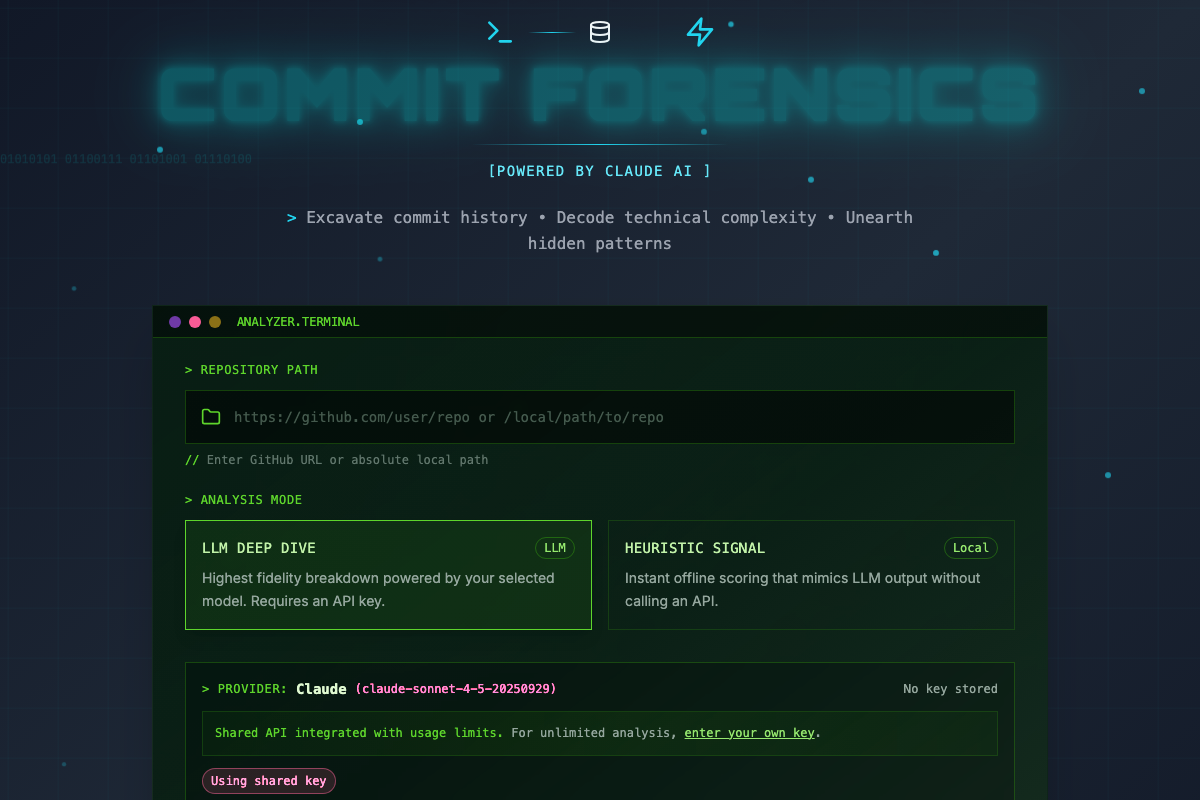
There's a CLI for quick analysis and a web dashboard for visualising trends across a repository.

Git Hardwork Analyzer dashboard with terminal-style interface

The Git Hardwork Analyzer—excavate your commit history

Measure your grind

Point the analyzer at any git repository and discover which commits actually represented hard work.

Try the Analyzer
For the curious: how it works

The Git Hardwork Analyzer has two parts:

  • CLI tool (Python) — parses git history, extracts diffs, sends to Claude for analysis
  • Web dashboard (Next.js) — visualises scores, tracks trends, compares contributors
  • Caching to avoid re-analysing the same commits